On-Device Processing • Privacy First • Android
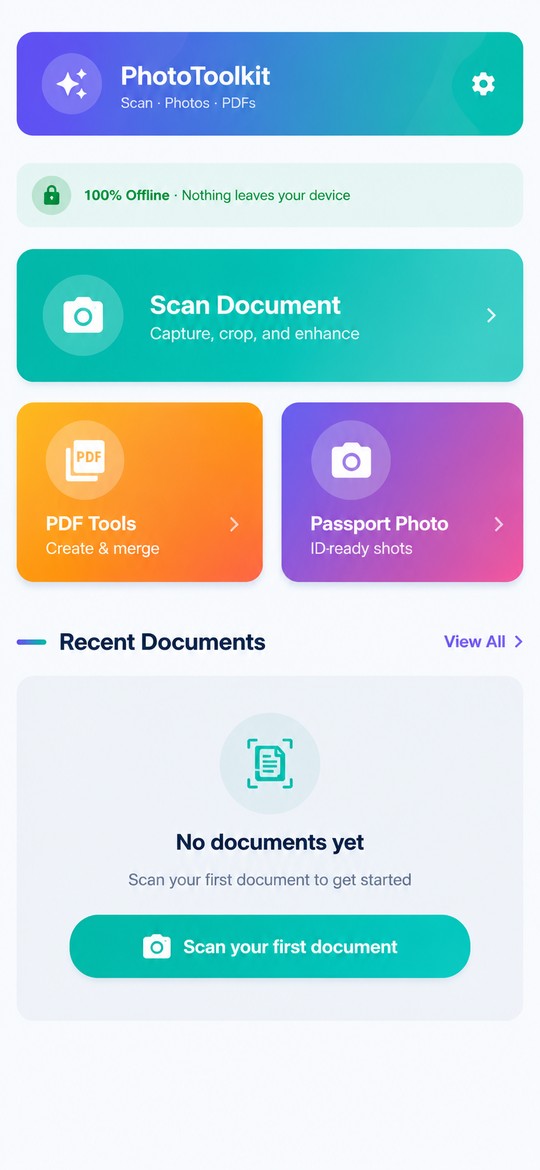
An Android app for scanning documents, creating and managing PDFs, and making passport photos. Core processing runs on your device, and no account is required.
- 📱On-Device Processing
- 🚫No Account Required
- ☁️No Cloud Uploads
- 🔒Your documents aren't uploaded for cloud processing
- 🤖Android
What is Offline Scan & Photo Toolkit?
Offline Scan & Photo Toolkit is an Android app for scanning documents, creating and managing PDFs, and making passport and ID photos. Core processing — scanning, enhancement, PDF generation, and background removal — runs on your device with models bundled in the app, no account is required, and documents are not uploaded for cloud processing.
The app is freemium: the core toolkit is free with ads, and a premium upgrade removes ads and unlocks advanced tools such as PDF merge, split, and page reorder.
Product facts| Platform | Android |
|---|
| Application ID | com.malaki.phototoolkit |
|---|
| Current version | 1.0.4 |
|---|
| Document scanning | Available |
|---|
| PDF creation & export | Available |
|---|
| PDF merge, split & page reorder | Available (premium) |
|---|
| Passport photo creation | Available |
|---|
| Background removal (on-device ML) | Available |
|---|
| Print-sheet export | Available |
|---|
| Account required | No |
|---|
| Cloud document processing | None — core processing runs on your device |
|---|
| Core processing | On-device |
|---|
| Pricing | Free with ads; premium removes ads and unlocks PDF merge, split, and page reorder |
|---|
Three jobs, one app
Every core feature runs on your device — scan paper, work with PDFs, and prepare ID photos without sending documents to a server.
📄✓Available
Document Scanner
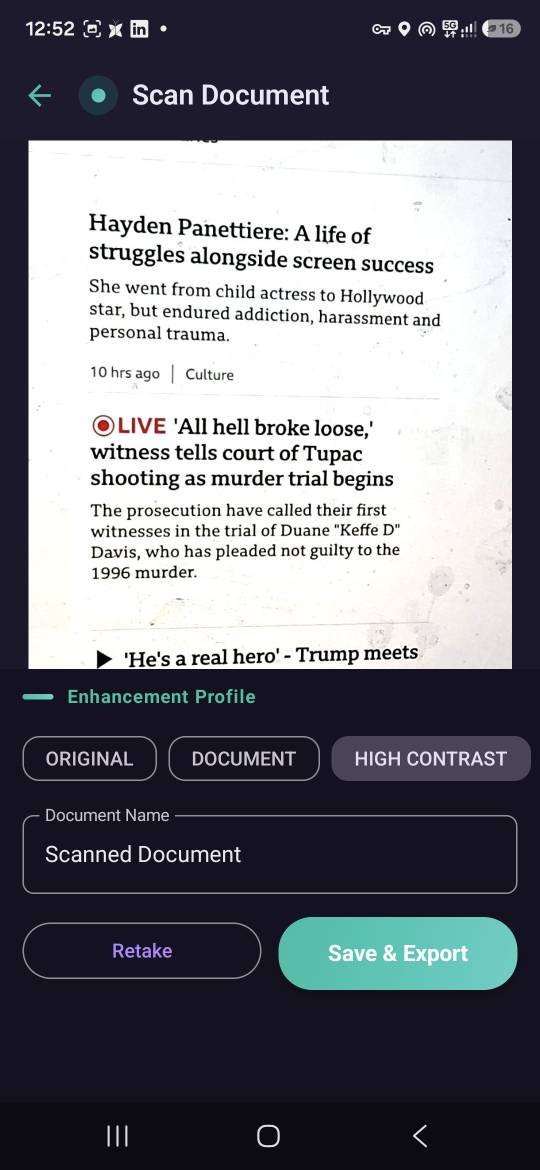
Capture documents with the camera, detect corners automatically, correct perspective, enhance the image, and export as PDF — processed on your device.
- ✓Automatic corner detection with manual adjustment
- ✓Perspective correction for flat, readable scans
- ✓Enhancement profiles: Original, Document, High Contrast, and more
- ✓Grayscale conversion
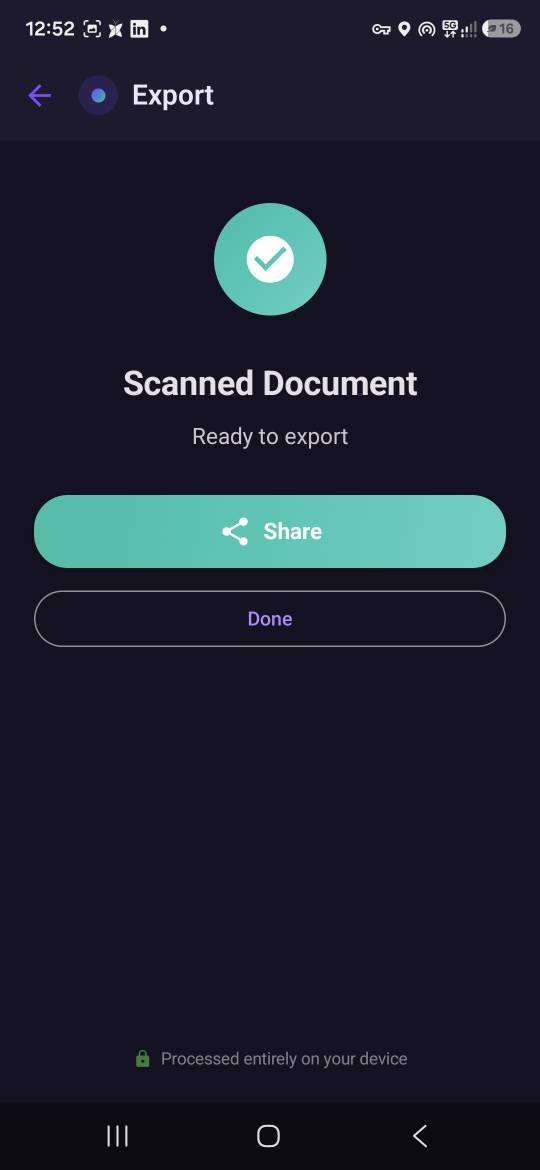
- ✓Export scans as PDF
More about the document scanner →📑✓Available
PDF Tools
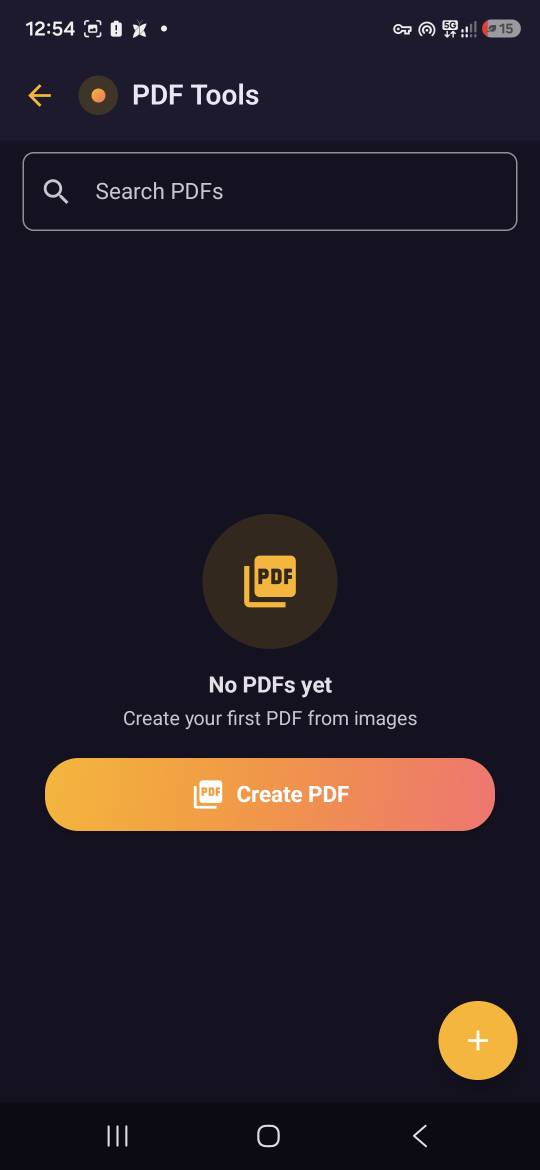
Create PDFs from gallery images, scans, or passport photos, view them in the built-in viewer, and merge, split, or reorder pages.
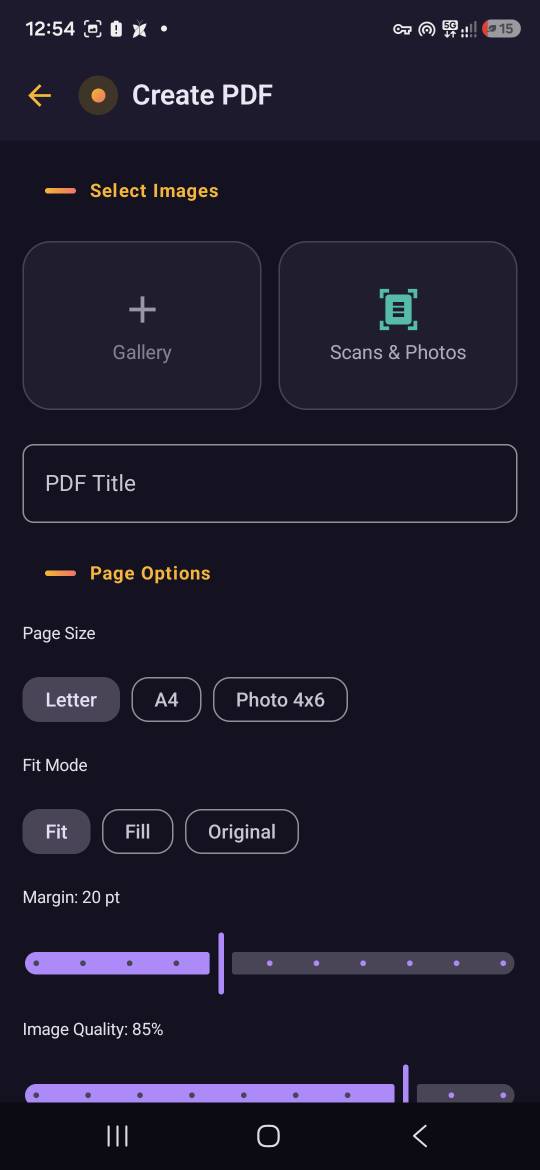
- ✓Create PDFs from gallery images, scans, or passport photos
- ✓Page size, fit, margin, and quality options
- ✓Built-in PDF viewer
- ✓Merge multiple PDFs into one (premium)
- ✓Split a PDF into parts (premium)
- ✓Reorder pages before export (premium)
More about the PDF tools →📷✓Available
Passport Photo Maker
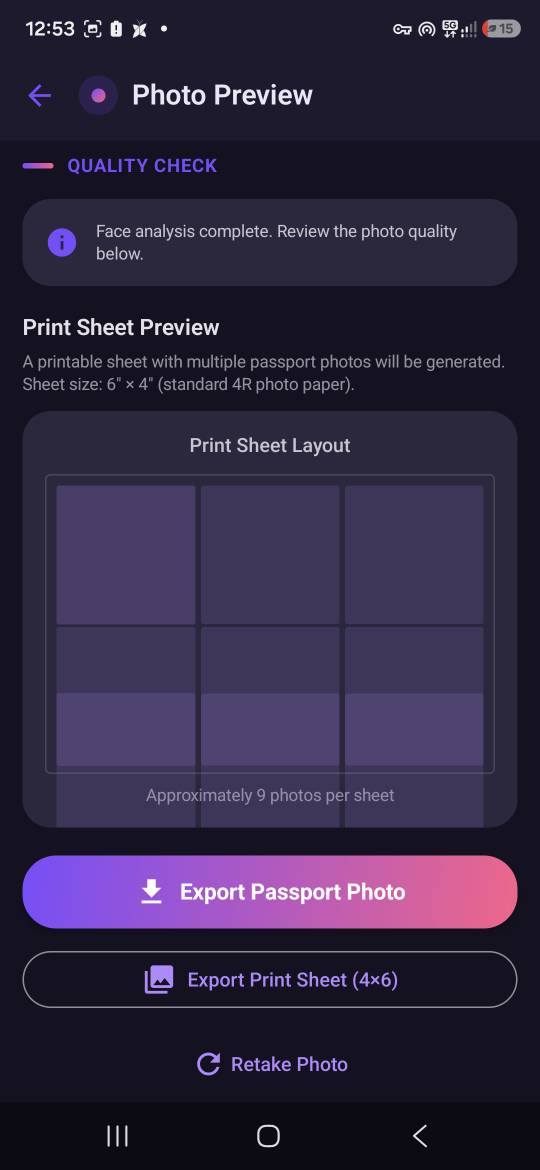
Take a front-camera photo with on-screen face guidance, remove the background, and export a compliant-size photo or a print sheet.
- ✓Front-camera capture with ML Kit face guidance (bundled model, on-device)
- ✓Background removal with ML Kit selfie segmentation (bundled model, on-device)
- ✓White background replacement
- ✓Brightness and contrast editor
- ✓9 supported photo presets (US, Canada, UK, Schengen, EU/ICAO, China, India, Australia)
- ✓Print-sheet export
More about the passport photo maker →How it works
Processing happens on your device.
📷
1.Capture
Point the camera at a document or take a passport photo with on-screen face guidance.
✨
2.Process
Correct perspective, apply enhancement profiles, remove backgrounds — all with on-device models.
📤
3.Export
Save a PDF, photo, or print sheet to your device and share it yourself, through the apps you choose.
See how each feature works in detail →
Powerful tools don't need your documents in the cloud.
Scanning, enhancement, PDF generation, and background removal run with models bundled in the app, so the documents you capture are processed on the device you're holding. There is no account to create and no server queue to wait on.
Your files stay in the app's local storage, with a browsable history and a 30-day recycle bin — and you decide when to share or export them. Read how the app handles your documents.
Made for the documents you handle every day
- ✓Receipts and invoices
- ✓Contracts and signed forms
- ✓ID cards and passports
- ✓Medical and insurance paperwork
- ✓Lecture notes and handouts
- ✓Letters and official mail
What the app does — and what it never asks for
What Offline Scan & Photo Toolkit does and does not require| Capability | Offline Scan & Photo Toolkit |
|---|
| Document scanning with automatic corner detection | ✓Yes |
|---|
| PDF creation, viewing, and export | ✓Yes |
|---|
| PDF merge, split, and page reorder | ✓Yes (premium) |
|---|
| Passport photo creation with on-device background removal | ✓Yes |
|---|
| Core processing on your device | ✓Yes |
|---|
| Account required | ✓No |
|---|
| Cloud upload required | ✓No |
|---|
Built for everyday document tasks
Students scanning notes and handouts
Capture lecture notes, whiteboards, and handouts with automatic corner detection, enhance them for readability, and keep them as PDFs on your device.
Travelers preparing passport photos
Take a photo at home with on-screen face guidance, remove the background, pick a supported photo preset, and export a print sheet — no photo booth needed.
Turning paper into PDFs
Scan receipts, forms, letters, and contracts, then export them as clean PDFs with your choice of page size, fit, margins, and quality.
Freelancers sending documents
Scan signed documents, combine or reorder PDF pages, and share the finished file yourself through the apps you already use.
Anyone who prefers local processing
Core scanning, PDF, and passport-photo processing runs on your device — your documents aren't uploaded for cloud processing.
A look inside the app
Six screens from the current Android release — from capture to export, all processed on the device.
Pricing
The core toolkit is free with ads; a premium upgrade removes ads and unlocks advanced tools.
Free
The core toolkit, supported by ads.
- ✓Document scanning, PDF creation, and passport photos
- ✓Enhancement profiles and grayscale
- ✓Print-sheet export
- ✓Supported by AdMob ads
Premium
Removes ads and unlocks advanced tools.
- ✓Everything in Free, without ads
- ✓PDF merge, split, and page reorder
- ✓Advanced enhancement options
- ✓One upgrade via Google Play Billing
Pricing available on Google Play.
Frequently asked questions
What is Offline Scan & Photo Toolkit?▾
It's an Android app for scanning documents, creating and managing PDFs, and making passport photos. Core processing runs on your device, with no account required.
Is the app free?▾
The app is freemium. Core scanning, PDF creation, and passport photo features are free with ads. A premium upgrade removes ads and unlocks premium features such as PDF merge, split, and page reorder.
Does the app upload my photos or documents?▾
No — documents and photos are never uploaded for processing; core features run on your device. Two things do use the network: AdMob (ads in the free tier) and Google Play Billing (premium purchases) communicate with Google. Separately, Android device backup — an OS feature controlled by your Google settings — may include app data.
Does the app require an internet connection?▾
Core processing — scanning, PDF tools, and passport photo creation — works offline. An internet connection is needed for ads (free tier) and for purchasing or verifying premium through Google Play Billing.
Do I need to create an account?▾
No. The app has no accounts and no sign-in. Your documents, photos, and history stay in the app's local storage.
Read the full FAQ →
Your documents. Your device.
Android • Offline-first • Privacy-focused